### Changes
- The `/clientgive <amount> <item>` has been changed to `/clientgive <item> <amount>`. Making it that you no longer needs to set an amount if you want only one item.
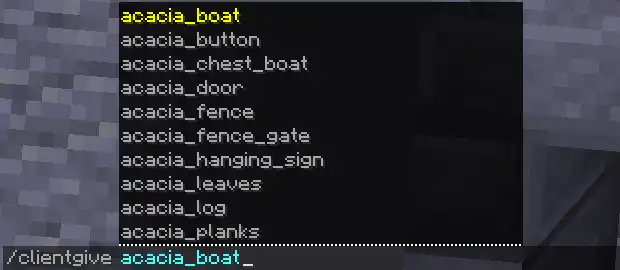
- The `/clientgive <item> <amount>` now has commands suggestions so you can easily tab all items for your version.
- Made it that when pressing the place ghost blocks key you can now hold it to continue to place blocks.
- Fixed some bugs.
### Changes
- The `/clientgive <amount> <item>` has been changed to `/clientgive <item> <amount>`. Making it that you no longer needs to set an amount if you want only one item.
- The `/clientgive <item> <amount>` now has commands suggestions so you can easily tab all items for your version.
- Made it that when pressing the place ghost blocks key you can now hold it to continue to place blocks.
- Fixed some bugs.
### Changes
- The `/clientgive <amount> <item>` has been changed to `/clientgive <item> <amount>`. Making it that you no longer needs to set an amount if you want only one item.
- The `/clientgive <item> <amount>` now has commands suggestions so you can easily tab all items for your version.
- Made it that when pressing the place ghost blocks key you can now hold it to continue to place blocks.
- Fixed some bugs.
ADDED A KEYBIND TO PLACE GHOST BLOCKS OF THE BLOCK YOU'RE HOLDING IN YOUR HAND JUST PRESS THE KEY AND IT WILL PLACE THE BLOCK UNDER YOU
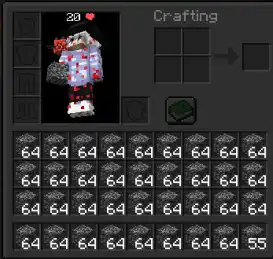
/clientgive (amount) (item)
Ex: /clientgive 64 bedrock
/clientfakesurvival
Set your client side gamemdoe to survival so you can place ghost blocks even tho you're in adventure
/clientremoveghostblock (NEW)
Remove ghostblocks placed by the keybind set in your controls