


Modpack Sperimentale (Experimental Modpack)
Questo modpack è in uno stato sperimentale, quindi potrebbe presentare alcuni problemi di lag e sarà in continuo sviluppo. Eventuali consigli saranno ben accetti.
In questo modpack, troverai numerose mod tecniche, magiche e alcune mod di esplorazione. Tuttavia, è richiesto un PC abbastanza potente per sopportare le oltre 200 mod e si consiglia di aumentare la RAM utilizzata dal modpack.
Nota: Optifine non funziona con questo modpack.
Per creare un backup, scrivi in chat [/backup start]. Dopo questa operazione verrà creata una cartella all'interno della cartella del modpack chiamata [Backups], dove troverai tutti i backup effettuati con il comando.
Per mantenere le abilità apprese dal mod di combattimento epico dopo la morte, digita /gamerule keepSkills true.
English Description
This modpack is in an experimental state, so there may be some lag problems and it will be in continuous development. Any advice is welcome.
In this modpack, you will find many technical and magical mods, as well as some exploration mods. It requires a powerful PC to handle the 200+ mods and it is recommended to increase the RAM used by the modpack.
Note: Optifine does not work with this modpack.
To create a backup, type [/backup start] in the chat. After this operation, a folder called [Backups] will be created within the modpack folder, where all the backups made with the command will be stored.
To maintain the skills learned from the epic fight mod after death, type /gamerule keepSkills true.
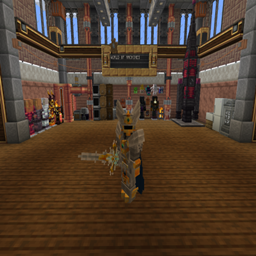
world of machines
下载文件


收录